
COBRA Show Creator allows you to upload one or more audio files from the Audio Studio and combined them into a single audio file without using a 3rd party audio editing program such as Audacity.
If you are using the COBRA SMPTE integration, combined audio files fully support adding SMPTE to a desired channel.
Creating a Combined Audio File
Step 1: Click Created Combined Audio File
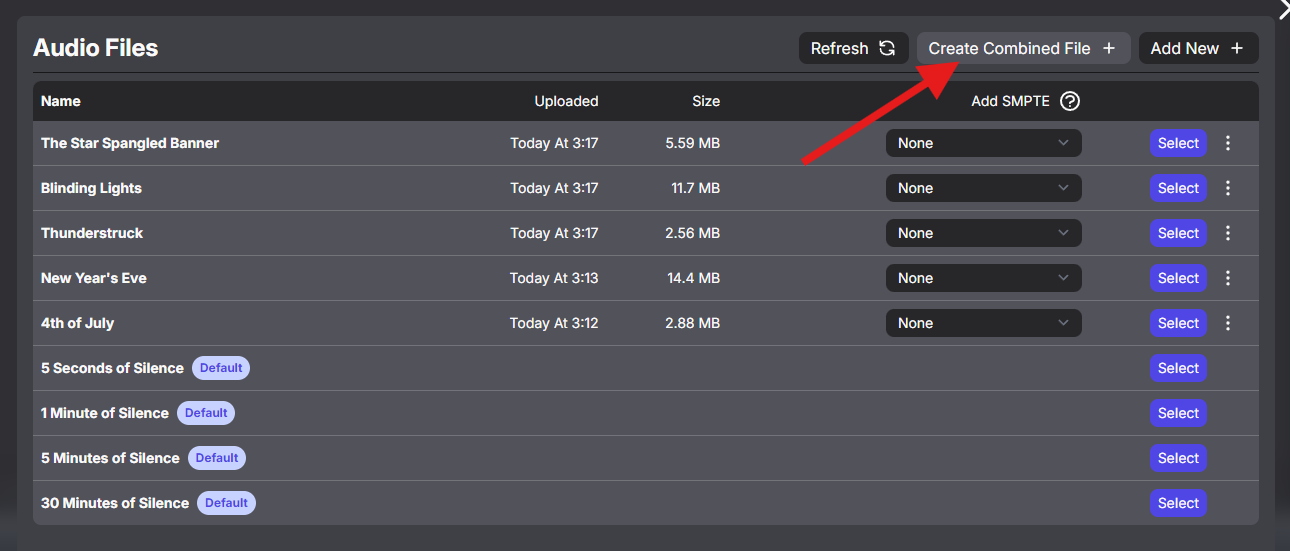
Step 2: Enter name

Step 3: Select one or more audio files and place them in the desired order using the dotted icons. Click Save.
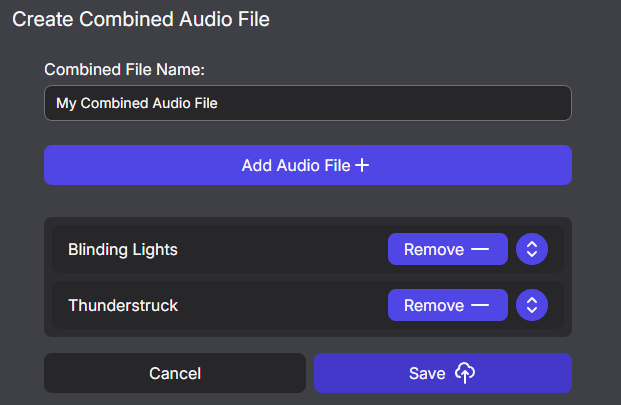
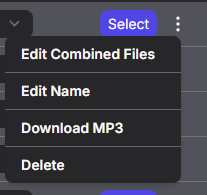
Step 4: Once Saved, you can edit the combined file at any time.
Comments
Article is closed for comments.